Laki.ai for Claude
Connect Laki.ai’s Finnish legal and tax research to Claude. Search and read statutes, case law, preparatory works, and Verohallinto tax guidance directly in the chat — with ready-to-cite sources you can open in place.
Finnish law only
Laki.ai covers the Finnish jurisdiction only — Finnish statutes, case law (KKO, KHO), government proposals and other preparatory works, and Verohallinto / vero.fi tax guidance. It does not cover the law of other countries.
Get started
Add Laki.ai from Claude’s connector directory, then sign in.
1
Add Laki.ai from Claude’s connector directory
In Claude, open Settings → Connectors, select the + button and choose “Browse connectors”, then find Laki.ai in the directory. You can also open the listing directly with the link below.
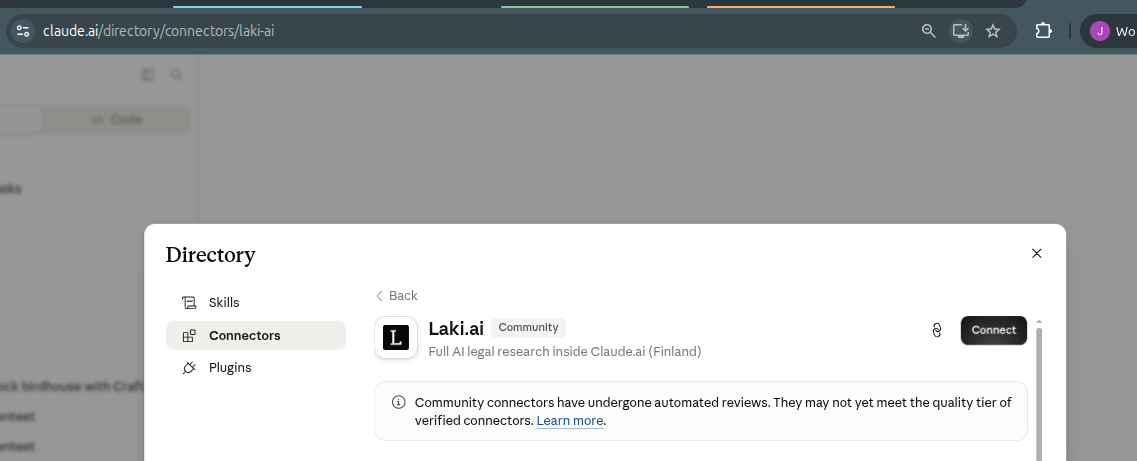 Open Laki.ai in the Claude directory
2
Connect and sign in
Choose Connect, sign in with your Laki.ai account, and approve access. Laki.ai then appears under Settings → Connectors, ready to use in any chat.
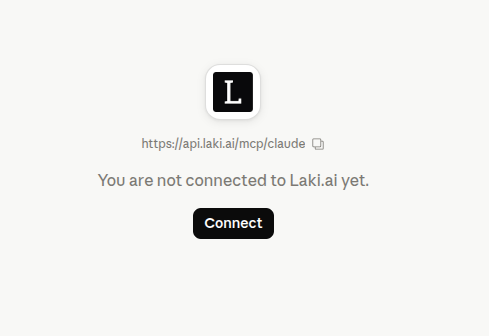 Open connector settings
3
Allow tools by default
OptionalThe first time Claude uses a Laki.ai tool in a chat, choose “Always allow” so you don’t have to approve each search.
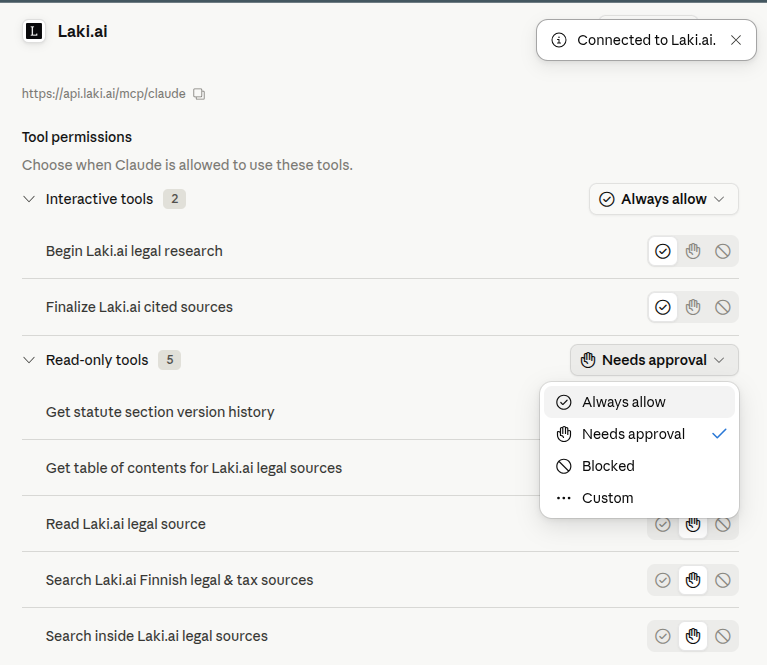 Open connector settings
What Claude can do
Once connected, Claude can use these Laki.ai research tools on your behalf.
Search Finnish legal sources
Find statutes, case law, preparatory works, and Verohallinto tax guidance by name, abbreviation, section reference, or legal concept. Claude can run several queries at once, filter by source type, and pick full-text, semantic, or hybrid matching.
search_legal_sourcesRead full documents with citations
Open the full text of statutes, judgments, government proposals, and guidance. Each content block carries a ready-to-cite reference, and statute sections include related-source leads.
read_documentNavigate a document's structure
Retrieve the nested section and heading outline of a source so Claude can jump straight to the relevant part.
get_table_of_contentsSearch inside a document
Search within specific, already-identified sources for exact terms or conceptually related passages.
search_within_documentsSee how a provision changed
Read a statute section’s version history: earlier wordings, the amending act, in-force dates, and the preparatory works behind each change.
get_statute_section_historyCited sources, live in the chat
Every research session renders a live source graph as Claude works, then a final list of cited sources you can click to open the full document and exact section without leaving the chat.
begin_research / finalize_research_graphRequirements
- A Claude plan that supports connectors — Claude Pro, Max, Team, or Enterprise.
- A Laki.ai account — if none exists for your email, a free account will be created on first sign-in.
- On Team or Enterprise, an owner may first need to enable Laki.ai for the organization in Claude’s admin settings before it shows up for everyone.
Sign-in & data
Connecting Laki.ai to Claude uses OAuth: you sign in with your Laki.ai account and approve the connector’s access. Claude then sends your research queries to Laki.ai to return sources, and access is tied to your Laki.ai account. For details on how we handle data, see our privacy policy. When Laki.ai processes personal data on behalf of a customer, the applicable terms and subprocessors are described in the DPA and subprocessor list.